
Communicating Incidents & Maintenance Windows: Status Updates That Build Trust

An outage is inevitable — every site gets hit eventually. What you can steer isn't whether something happens, but how you talk about it. And that's exactly where it's decided whether an incident costs trust or builds it. The right communication turns an outage into proof of your diligence — a calm, timely update reassures the client, while silence alarms them. This article delivers the templates for incident and maintenance communication that do exactly that: inform without triggering panic.
Why silence hurts more than the outage
The instinctive reflex during an outage is to speak only once everything's back — out of fear that an update might make the problem look bigger than it is. That reflex is wrong. Because while you stay silent, the client notices the outage anyway — they just fill the information gap with the worst thing they can imagine. A ten-minute outage becomes, in their head, a total failure with data loss, because no one told them what's actually going on.
Communication flips that dynamic. A single calm update — "We've detected an issue and we're already on it" — takes the menace out of the situation. It signals three things at once: we know, we've got it under control, you don't need to do anything. That's the core: it isn't the downtime that determines how an incident is experienced, but the sense of control your communication conveys. Silence produces exactly the calls and emails a good update prevents.
The flow for incident communication
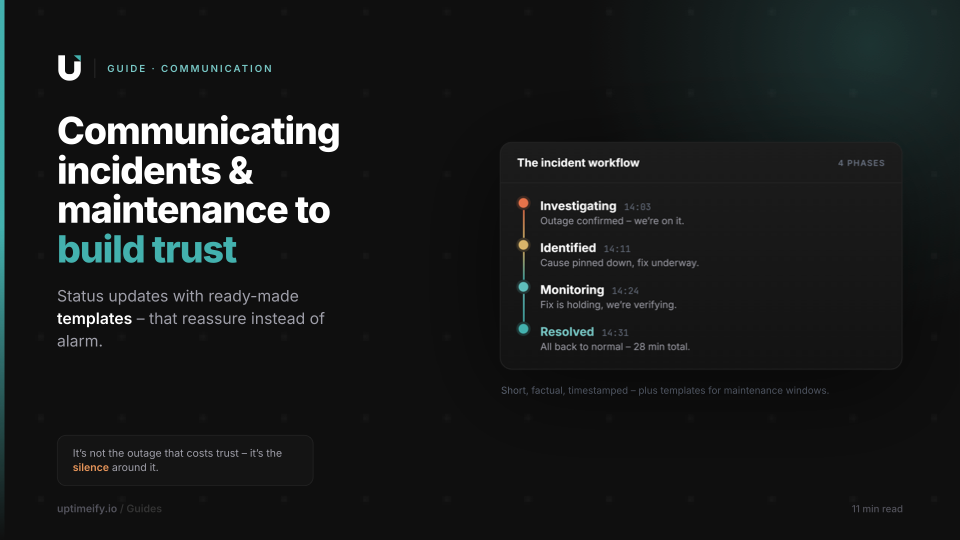
Good incident communication isn't a spontaneous talent — it's a repeatable flow. Four phases that give the client a through-line, from the first notice to the all-clear. Each phase has a clear job, and none should be skipped.
Phase 1 — Investigating (outage confirmed). As soon as the outage is confirmed — ideally from multiple locations, so it's no false alarm — the first update goes out. It names what's affected and that you're on it. No more. The goal is speed, not completeness.
Phase 2 — Identified (cause narrowed down). Once you know what's wrong, the second update follows. It needn't unpack the cause technically — "an issue at our hosting provider" is enough. What matters is the signal: we're not fumbling in the dark, we've located it.
Phase 3 — Monitoring (fix taking hold). When the fix is rolled out and you're watching recovery, the third update comes. It stops anyone from prematurely asking "is it OK now?", and shows you're verifying cleanly instead of just hoping.
Phase 4 — Resolved (resolved). The closing update. It confirms everything's back, briefly names the total duration, and thanks people for their patience. Optionally — for larger incidents — a short summary follows later of what happened and what you're changing so it doesn't recur.
Three rules apply to every phase: plain language (the reader is the end client, not your team), every update with a timestamp (so the history stays traceable), and no blame, no downplaying (neither "it was the host's fault" nor "just a minor thing" when it wasn't for the user).
Templates: incident updates that reassure
The value of a flow only shows with ready-made wording you just fill in when it counts. Here are templates for the four phases — deliberately calm, clear, and free of alarm vocabulary. Replace the bracketed placeholders per incident.
Investigating:
"Time We're currently seeing an issue with affected service, e.g. email delivery and are investigating the cause. Unaffected services, e.g. the website are running normally. We'll follow up with an update as soon as we know more."
Identified:
"Time The cause is narrowed down: short, non-technical cause, e.g. an issue at our hosting provider. A fix is underway. Next update in timeframe, e.g. 30 minutes or sooner if anything changes."
Monitoring:
"Time The fix has been rolled out. Affected service is reachable again; we're still watching stability to be sure. We'll confirm full resolution shortly."
Resolved:
"Time The incident is resolved — affected service has been running normally since time. The issue lasted duration in total. Thanks for your patience; we're available as usual if you have any questions."
What makes these templates calm isn't sugar-coating, it's structure: each names the time, the affected and unaffected area, the next step, and — where possible — a timeframe for the next update. That timeframe is an underrated reassurance: someone who knows when the next info is coming doesn't call in between.
Announcing maintenance windows the right way
Planned maintenance is the counterpart to an incident — and the easier exercise, because you have time on your side. Yet it's often squandered: either not announced at all (then planned work looks like an outage) or in pure tech jargon (then the client only hears "something's broken again"). And yet a well-announced maintenance is one of the strongest trust signals there is: it shows you maintain proactively instead of just reacting.
A good announcement has lead time and answers five questions: what is being maintained, when (with date and time zone), how long it's expected to take, what impact to expect, and why it benefits the client. The last point is the most important and most often forgotten — "as part of a scheduled security update" turns an annoying interruption into proof of your diligence.
A template for the announcement:
"Scheduled maintenance: On date between start time and end time (time zone), we'll perform scheduled maintenance on service. During this window, service may be briefly unavailable. The work serves benefit, e.g. a security and performance update. No action is needed on your side."
And a short closing update:
"The scheduled maintenance on service is complete. Everything is running as usual — thanks for your understanding."
One technical point makes clean communication possible in the first place: if you log the maintenance period in your monitoring as a maintenance window, no outage alerts fire during that time. At Uptimeify the affected service then appears on the status page as "Maintenance" instead of "Degraded" or "Down" — planned work looks like planned work, not an emergency. For recurring tasks, these windows can also be set up as a series (daily, weekly, monthly).
The status page separates outage and maintenance
Templates are half the battle — the other half is where they appear. A good status page visually distinguishes clearly between an unplanned outage and planned maintenance, because the two should trigger a completely different reaction in the viewer. An outage says "we're on it right now," maintenance says "this is planned and under control."
A good platform takes that separation off your hands. While a maintenance window is running, the affected service is marked "Maintenance" — visually set apart from a red outage status — and alerting is silenced for that period. Without that separation, every planned maintenance run would produce the same alerts and the same red display as a real emergency, and your client would be startled at every routine maintenance. With it, a potential false-alarm source becomes a calm, expected event.
The incident history on the same page serves a second purpose: it documents how you handled past incidents. A history of calmly and factually worded updates is, in hindsight, a trust signal in itself — it shows a new viewer that outages are handled professionally and transparently here.
Communication as part of your brand
In the end, the way you talk about outages isn't a sideshow — it's a visible part of your brand. Two agencies with identical technology and identical downtime can stand completely differently with a client — the one that stays silent and then placates, and the one that informs calmly, in time, and in clear language. The second reads as composed, even though both had the same problem.
The lever for that is preparation and structure. Have the templates ready in advance and you don't have to compose under pressure when it counts — you just fill in the gaps, and so write a calm update even under stress instead of a frantic one. Announce maintenance with lead time and log it technically as a maintenance window, and you turn obligatory work into a professionalism signal. Bundle both on a status page that cleanly separates outage and maintenance, and you give the client a reliable place to check for themselves when in doubt — instead of calling.
Every incident and every maintenance run thus becomes a small, repeated chance to prove the same thing: that someone has things under control. That's exactly what your client pays you for.
Frequently asked questions
How do I communicate an incident without alarming the client?
Through a fixed flow of short, calm updates: outage confirmed (Investigating), cause narrowed down (Identified), fix underway (Monitoring), resolved (Resolved). Tone decides: factual rather than dramatic, with a timestamp, no blame, no internal jargon. The client should feel someone is working on it calmly and competently — that's what reassures. Silence, by contrast, alarms, because it leaves room for speculation.
How do I announce a maintenance window the right way?
With lead time and in the language of benefit, not technology. A good announcement names: what's being maintained, when (with time zone), how long it's expected to take, what impact to expect, and that the work is preventive. Announced maintenance reads as professionalism — unplanned outages as loss of control. A window logged technically as a maintenance window also ensures no false alarms fire during that time.
Should I communicate short outages at all?
It depends on duration and visibility. An outage confirmed from multiple locations that was noticeable to end users deserves an update — even if it was short. A seconds-long blip no one noticed doesn't need to be aired every time. The rule of thumb: communicate as soon as the client or their users could have noticed the outage themselves. Then you're ahead of the angry call.
What's the difference between an incident and a maintenance window on the status page?
An incident is an unplanned outage, a maintenance window is planned work. On a good status page they're clearly distinguished: at Uptimeify a service appears as "Maintenance" instead of "Degraded" or "Down" during an active window, and no alerts fire during that time. That separation matters because planned maintenance builds trust, while a maintenance run shown as an outage alarms unnecessarily.
Who should write the status updates — engineering or account management?
Ideally they come from a template that unites both perspectives: engineering supplies the facts (what, since when, which component), the client perspective sets tone and wording. Ready-made templates solve this, because they don't need to be rewritten under pressure — you just fill in the gaps. That way even someone under stress writes a calm, understandable update instead of slipping into tech jargon.

Co-Founder of Uptimeify, responsible for all of marketing. He bridges technical development and marketing strategy — from Java, PHP and Shopware plugins to steering digital growth strategies. A certified UX Manager (IHK) and digital-marketing advisor to three non-profit organizations.
More from the blog
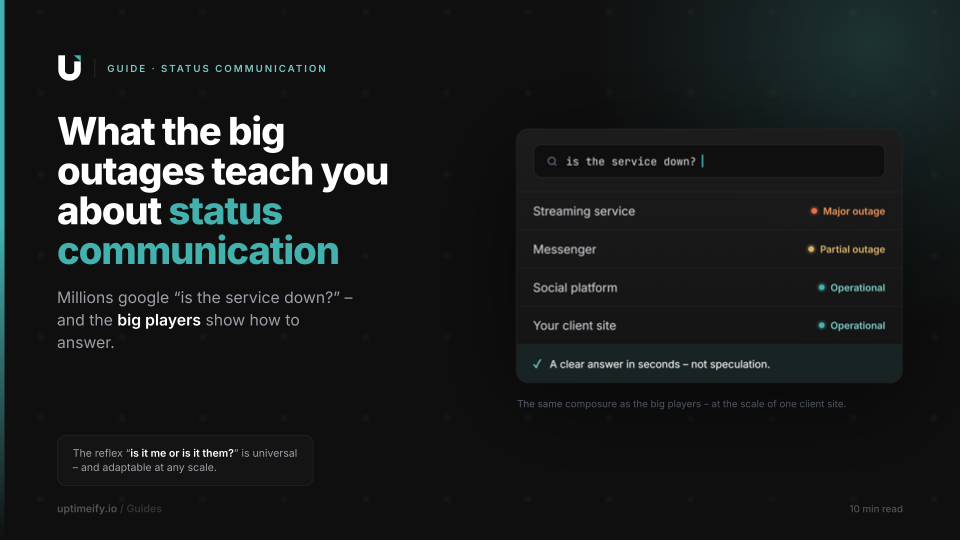
When Big Services Go Down (YouTube, WhatsApp & Co.) — and What They Teach About Status Communication
Why millions check the server status during an outage — and what the giants' professional status communication gets right that any agency can adapt at small scale.
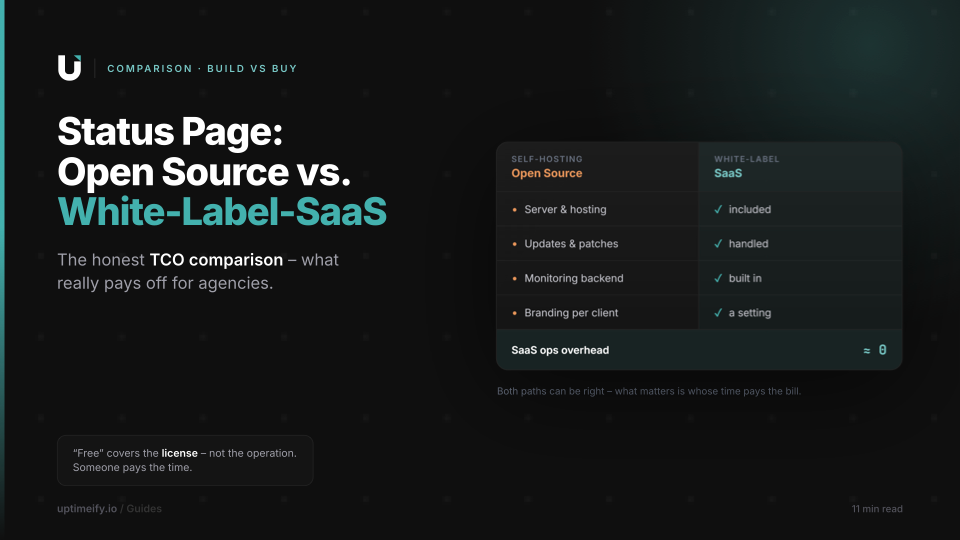
Status Page: Open Source vs. White-Label SaaS — What's Worth It for Agencies?
An honest TCO comparison: what a self-hosted open-source status page really costs — versus a ready-made, branded white-label solution for agencies.
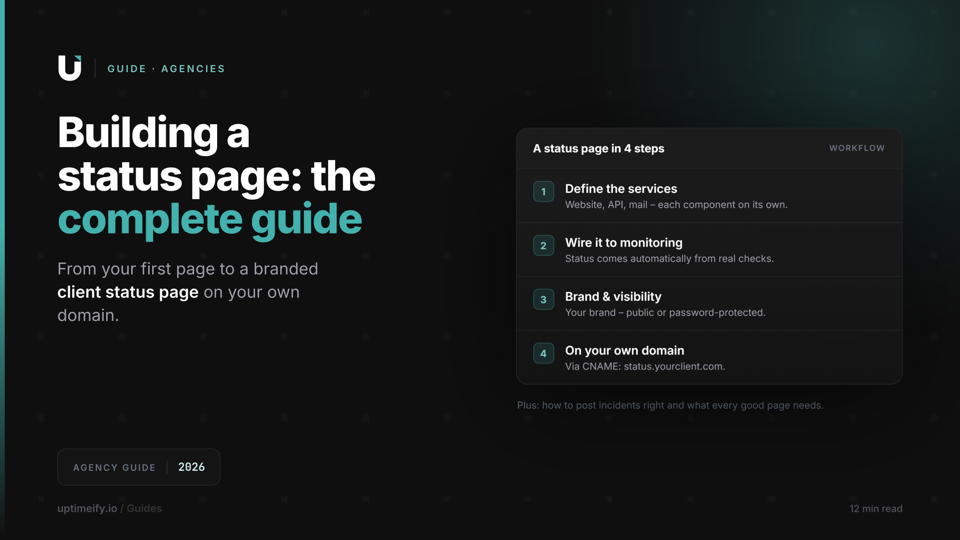
How to Create a Status Page: The Complete Guide for Agencies (2026)
From your first status page to a branded client status page: what to communicate, how to post incidents, and how to run a status page on your own domain.